Issue 1 Model B
One of the few Issue 1 machines built by ICL
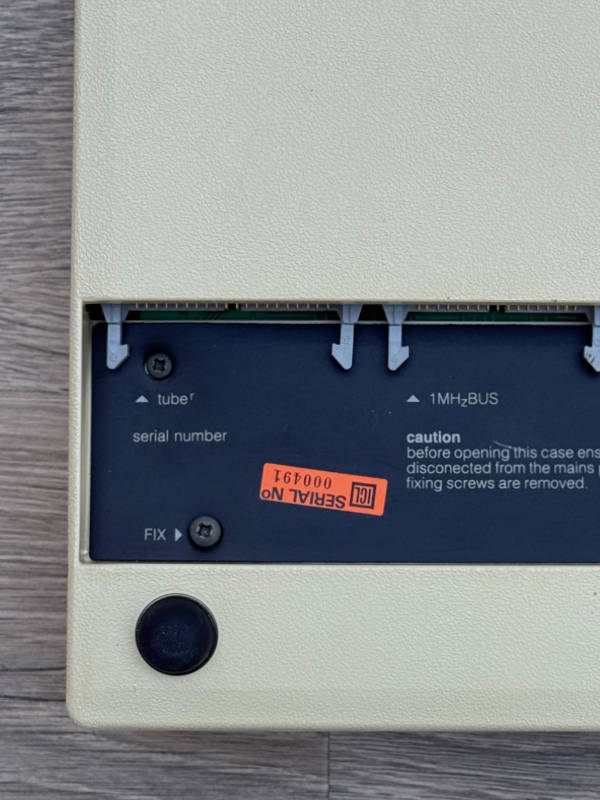
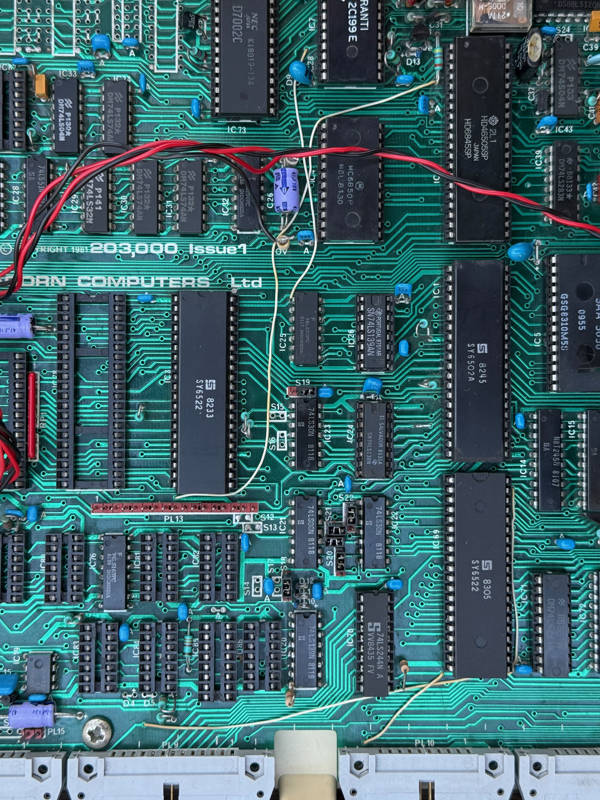
Issue 1 PCB, VT 25514 PSU, built by ICL, serial number 000491
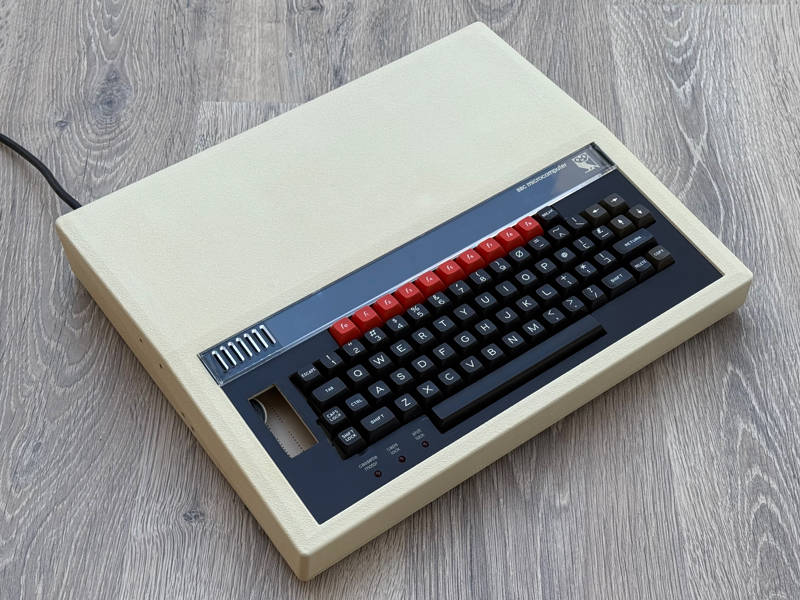
This was a lucky, completely unexpected find. The original owner bought this Issue 1 Model B in early 1982 as an upgrade from their Acorn Atom. They used it enthusiastically for a number of years until it was superseded by another upgrade. It was tucked away in a cupboard and eventually forgotten. In late 2025, during a family clear-out, both computers were rediscovered and put aside, apparently ready for the next trip to the local waste recycling centre.
Luckily another relative spotted them and rescued them to sell on an on-line auction site (yes, that one).
The auction listing had only three photos showing the outside of the computer and a very short AI-generated description. The photos showed a later ‘British Broadcasting Corporation’ function key strip and a linear power supply — not the usual combination of parts — but it was intriguing enough that I asked the seller whether they had any photos the underside and the inside.
They did, and the pictures revealed a serial number of 000491 beneath the keyboard and a glimpse of the ‘Issue 1’ text on the internal shot.
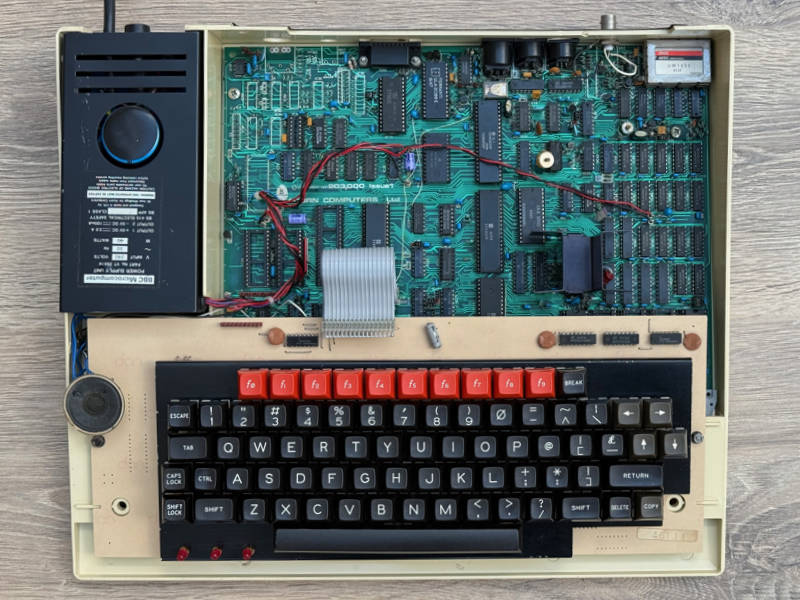
I didn’t expect to find an Issue 1 PCB in an ICL-built computer, particularly not one with a serial number in the 400s. I have three ICL computers with lower serial numbers — and they all have issue 2 PCBs. Until this computer came to light, the only Issue 1 PCBs I knew of had serial numbers in the 100000 range. Acorn used that range for the first hand-built Issue 1 boards then assigned it to Cleartone when they started production.
Another question was why there is no serial number on the PCB. All BBC Micros with 6-digit numeric serial numbers are issued with 3 identical serial number stickers. One for the computer case, one for the PCB and one for the outer cardboard box. The box for this computer was, of course, long gone. The sticker on the case was firmly attached — so why wasn’t there one on the PCB?
My first theory was that the board had been replaced under warranty not long after the machine was delivered.
Another, more obvious explanation is that the computer left the factory as an Issue 1 and the label had simply fallen off the PCB. Serial number labels have differing qualities of adhesive, with AB’s later labels being particularly bad and falling off quite easily. ICL’s labels are quite good at staying stuck, though I have one example in my collection where the PCB label came off (ICL 002623) and I discovered it loose inside the case.
The answer came by coincidence: a machine with an adjacent serial number — ICL 000492 — surfaced within a month of this one. It also has an Issue 1 PCB, but with matching serial number stickers on the PCB and case. So we can be confident that both machines left the factory in the same way: they were both originally built with an Issue 1 PCB, but 000491’s label lost adhesion at some time in the last 45 years.
We can also speculate that this pair of machines is part of a batch of Issue 1 computers built by ICL in the middle of their Issue 2 run. But why would ICL interrupt their production run to do this? Let’s have a look at the computer in detail and see whether there are any clues.
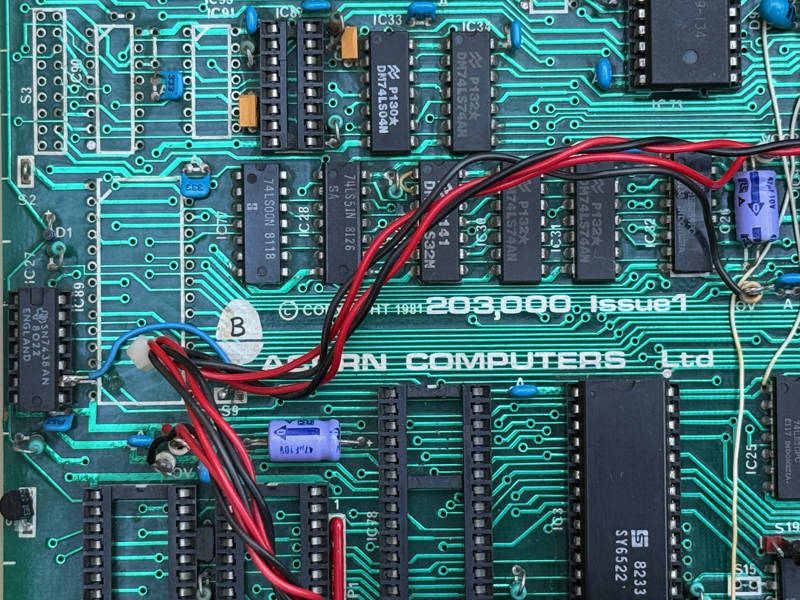
There’s a hand-written ‘B’ on the Acorn logo on the PCB. 000492 also has this but the handwriting is different. This must have been used during production to indicate that the board should be populated as a Model B. Later on, AB Electronics used small circular stickers for this purpose, labelled ‘B’, ‘BD’, ‘BE’ and ‘BDE’ to indicate the model and requirement for disc and Econet interfaces.
ICL didn’t designate model types on their Issue 2 and 3 boards, so it’s unusual to see it done here. In fact, after about serial number 005500 all of ICL’s output was Model B anyway — so such markings wouldn’t have been necessary.
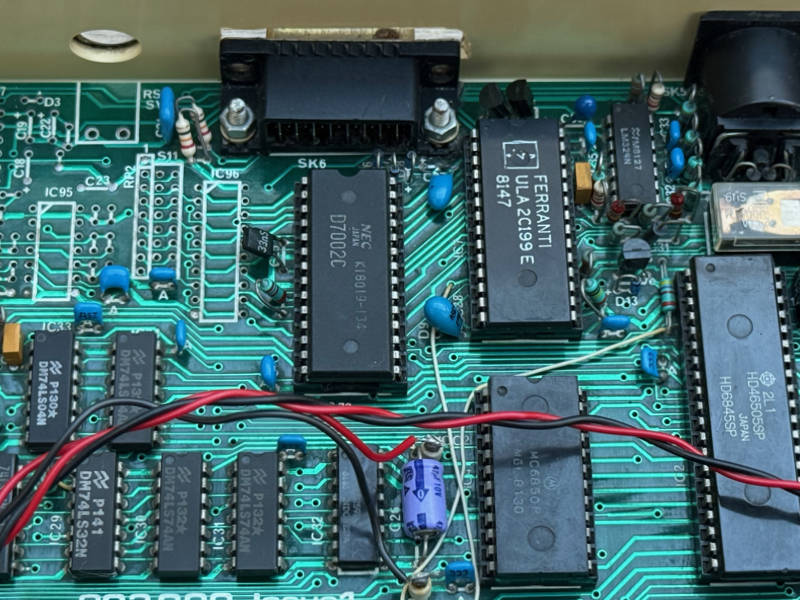
Turning our attention to the RAM chips, there are indeed 16 of them, giving a full 32K of memory. Unusually for this stage of production, all are soldered directly onto the PCB.
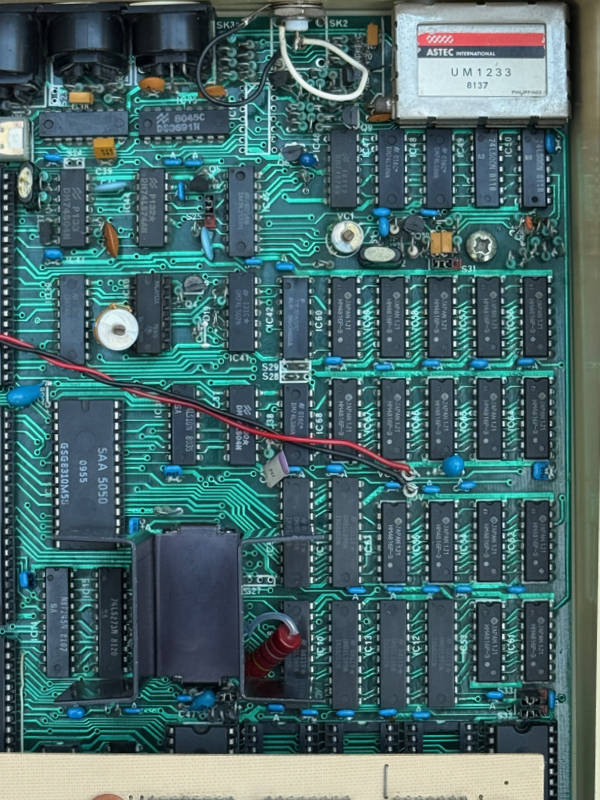
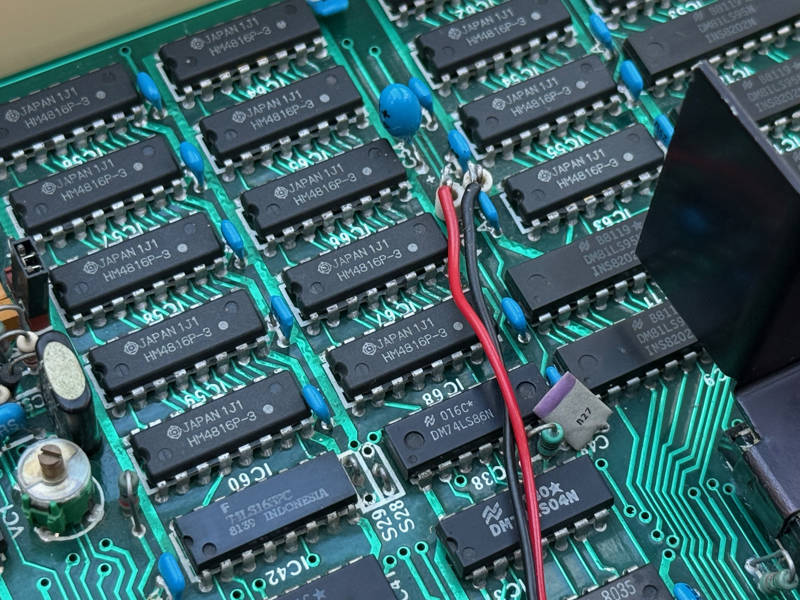
Most PCBs up to and including Issue 4 have one bank of memory (8 chips) in sockets, even if they’re destined to be a Model B. People frequently mistake those boards for upgraded Model As — but most were actually built as Model Bs. Keltek’s Issue 4 boards are the main exception with all RAM being soldered directly onto the PCB. All Issue 7 Model B boards have all RAM soldered.
When ICL was directed to produce only Model Bs, they switched from socketing one bank of RAM to soldering it all. This saved cost and increased reliability — though it made repairs slightly more difficult. However this change happened at around serial number 005500, long after this board had been built.
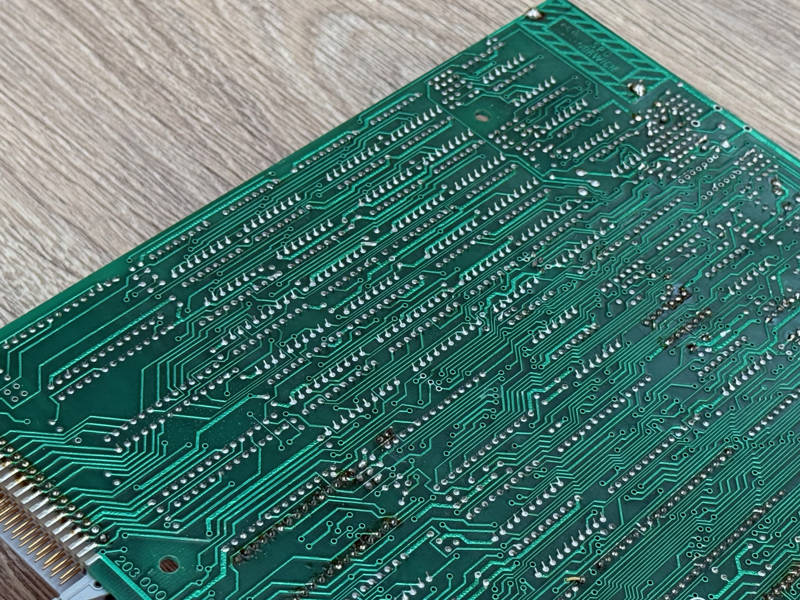
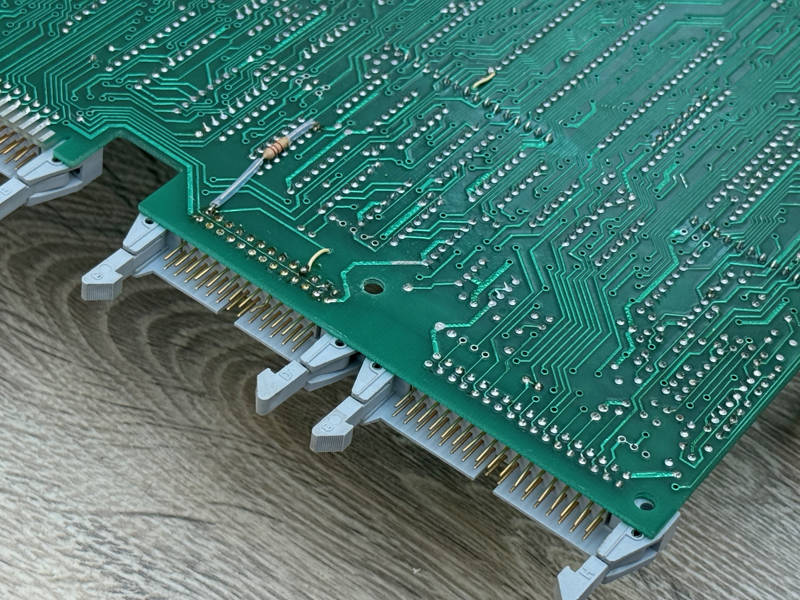
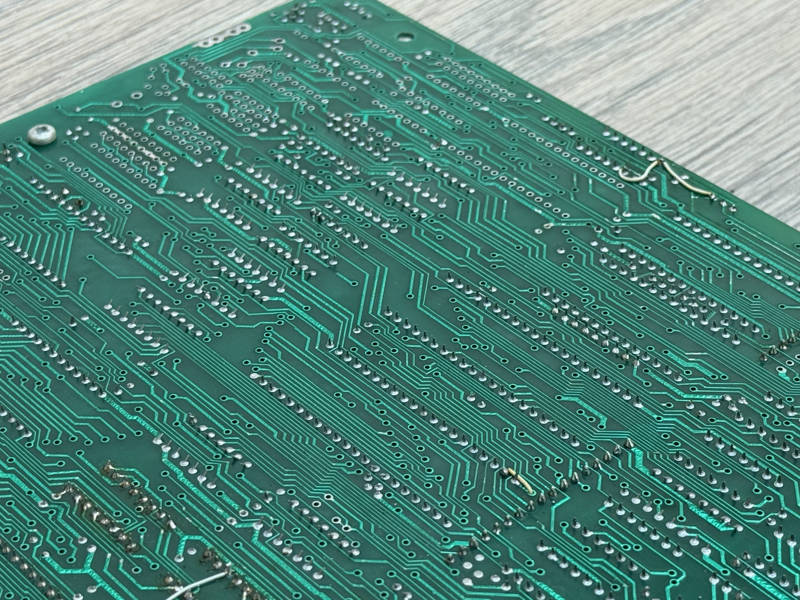
The underside confirms that these RAM chips aren’t later additions — they’re neatly wave soldered with no hand modifications. The date code on all 16 chips is 1J1 (September 1981). This means the board couldn’t have been built earlier than that, and roughly fits the sequence of production among known ICL boards:
- ICL 000078: 1H1 (August 1981)
- ICL 000225: 1L1 (November 1981)
- ICL 000336: 1J1 (September 1981)
This reveals that the date codes aren’t in strict chronological sequence, even though the sample size is very small. Stock holdings in the supply chain between production in Japan and assembly at ICL’s Kidsgrove factory in England would vary according to which supplier was chosen for each batch that was ordered. However we might tentatively conclude that the 1J1 code on 000491’s RAM is broadly consistent with the sequence — and it matches that of the closest serial number, 000336.
So although we can say that the board was populated at a time consistent with its serial number (but out of sequence with its issue number) we can’t say why it was populated in a way that wasn’t used until some months later in ICL’s production run.
000492’s RAM also has a 1J1 date code and is fully wave soldered. So we can begin to extrapolate the possibility of a production run of Issue 1 boards which were populated and built differently from the Issue 2 boards built before and after them.
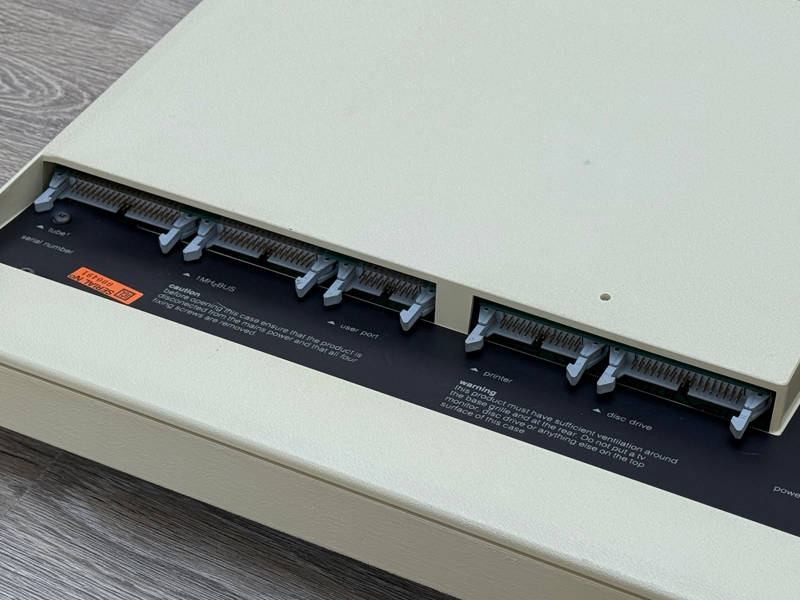
Perhaps ICL built a small run of Issue 1 Model Bs on a parallel production line, then shipped the resulting computers as part of their normal output. But why?
The serial numbers 491 and 492 hint at a possible explanation. Could ICL’s contract have stipulated delivery of 500 units by a specific date? Might they have run out of Issue 2 PCBs slightly too early?
This might sound rather chaotic, but component availability — specifically the video ULA — and industrial action by ICL workers in early 1982 disrupted production. In this envionment there could have been a scramble to get machines built by whoever came into the factory, using whichever facilities and materials were available.
So maybe this is one of a small run of Issue 1 boards with serial numbers running up to 500 which were built to plug a gap and meet a target.
A Closer Look
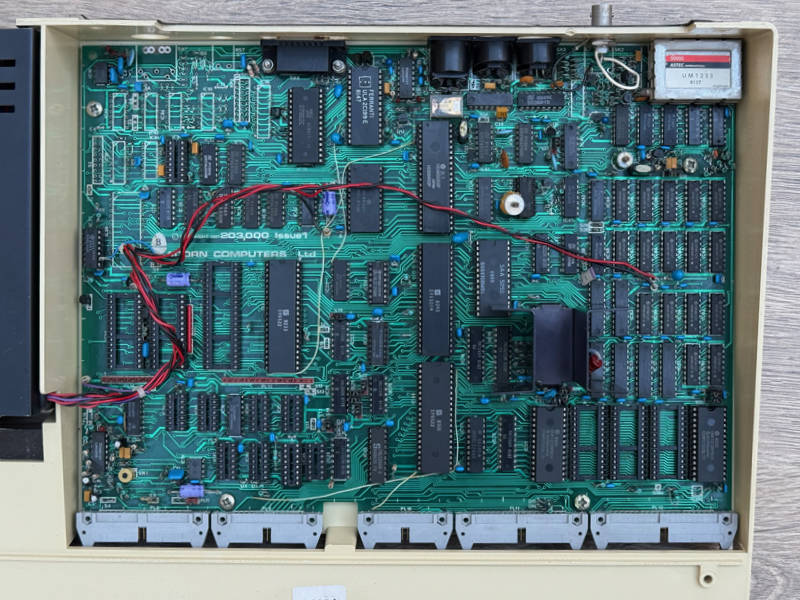
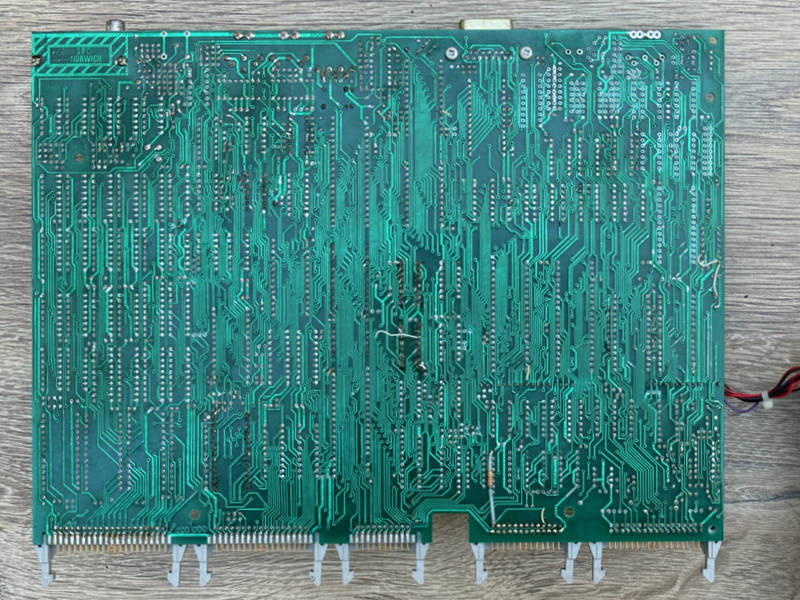
Let’s have a look at the whole PCB, component side (above) and solder side (below). There are patch wires on both sides, which is usual for early ICL-built boards. The soldering on shows that it’s definitely not hand-built, like the very first Issue 1 boards. There are some areas of hand soldering but these look like repairs.
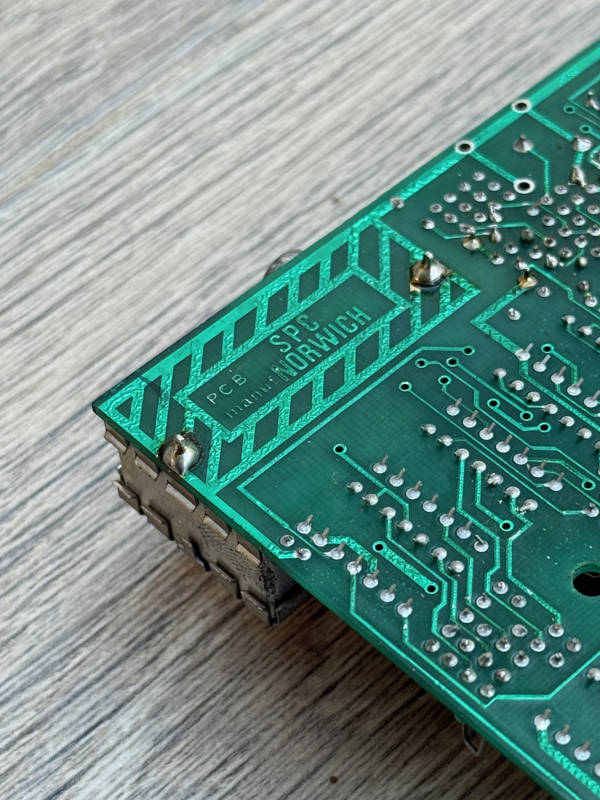
Looking more closely at the area of the board beneath the UHF modulator we can see the who made the PCB itself. This one is manufactured by SPC, the same company which made Issue 1 boards used by Cleartone. SPC were probably the only manufacturer of Issue PCBs and it’s likely that they only ever made a single batch.
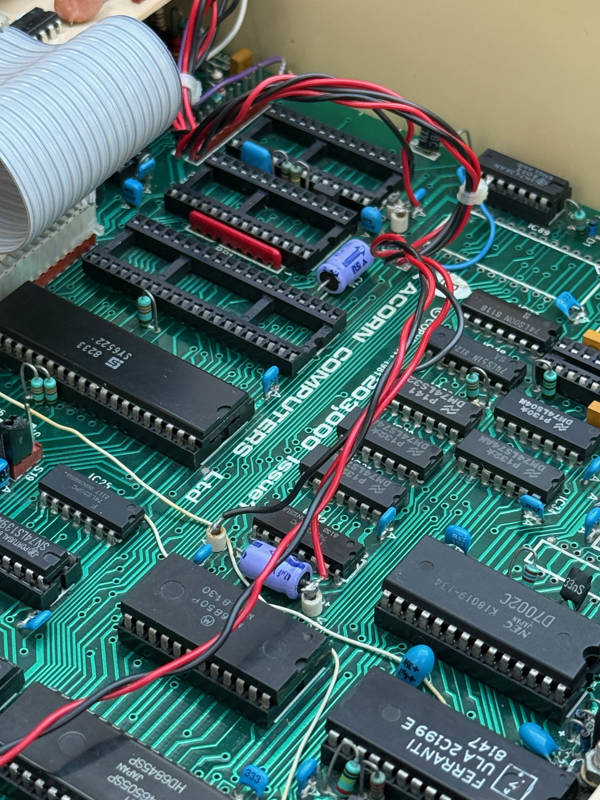
Back on the component side of the board, the power connectors are worth commenting on. These are usually mini spade terminals but on this PCB the power leads are soldered directly to posts. Soldered power leads aren’t an uncommon sight, but they’re usually a hasty repair to a broken spade connector (it’s easy snap them off if you don’t remove power connector with care). But on this board all the connectors are the same: all soldered to posts. So either someone had an extremely ham-fisted attempt at removing them or that’s how if left the factory. Board 492 has the same connectors, so the latter must be true.
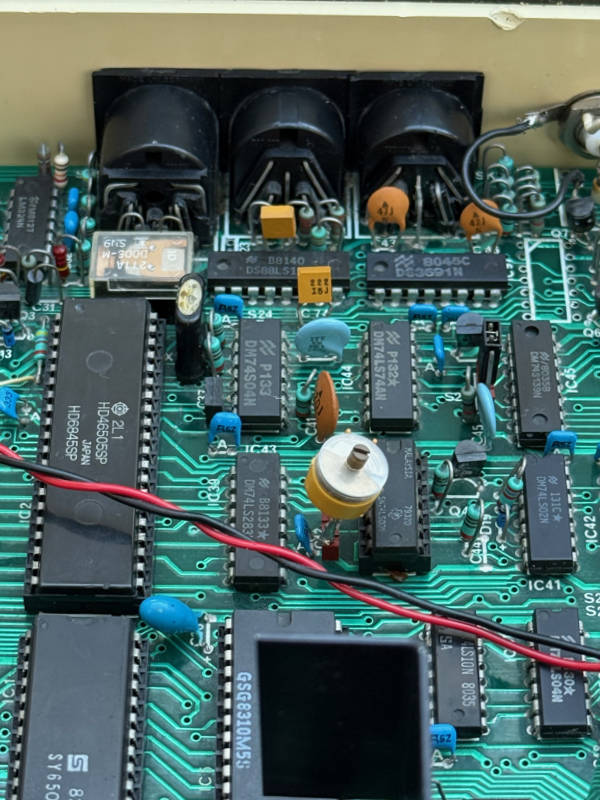
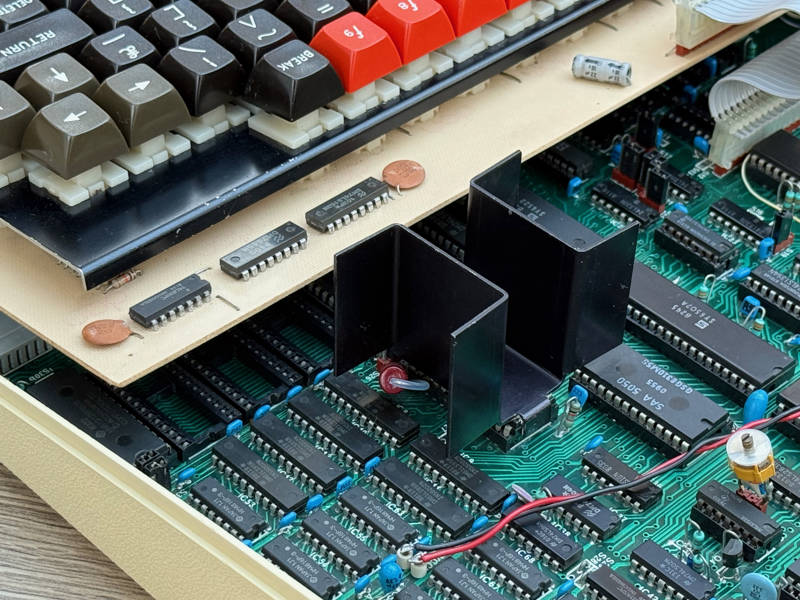
The large H-shaped video ULA heatsink seen on this machine was already used by Cleartone from the beginning of their production run. ICL started with a silver aluminium U-shaped heatsink but had switched to the H-shaped version by serial number 000600. There appears to be a run leading up to this when either type could be fitted, presumably depending on what was available, probably starting in the mid-400s.
Modifications
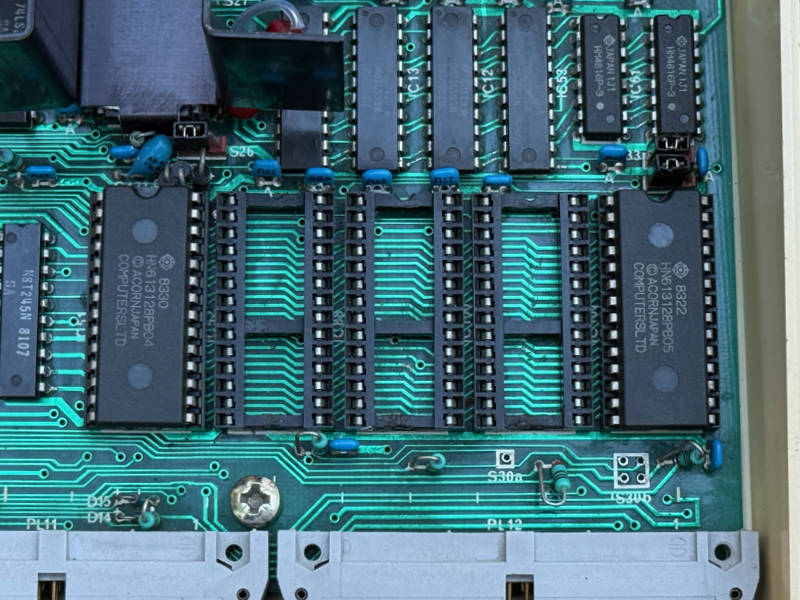
This computer was originally supplied with the operating system (OS 0.1) on four 4K EPROMs and Basic 1 on a mask-programmed ROM. Both have been replaced with later versions: OS 1.2 and Basic 2.
OS 1.2 was essential for running most commercial software of the day, much of which depended on the bug fixes and additional features it contained compared with OS 0.1.
Basic 2 was a nice upgrade for enthusiast programmers because it added a few useful keywords which weren’t present in Basic 1. But Basic 2 was rarely required by commercial software, most of which was written in assembly language. Any components written in Basic usually avoided Basic 2 keywords to ensure compatibility.
The three empty sockets between these ROMs show signs of screwdriver damage on the lower part of their plastic frames — traces left by an owner who swapped ROMs more often than a casual user.
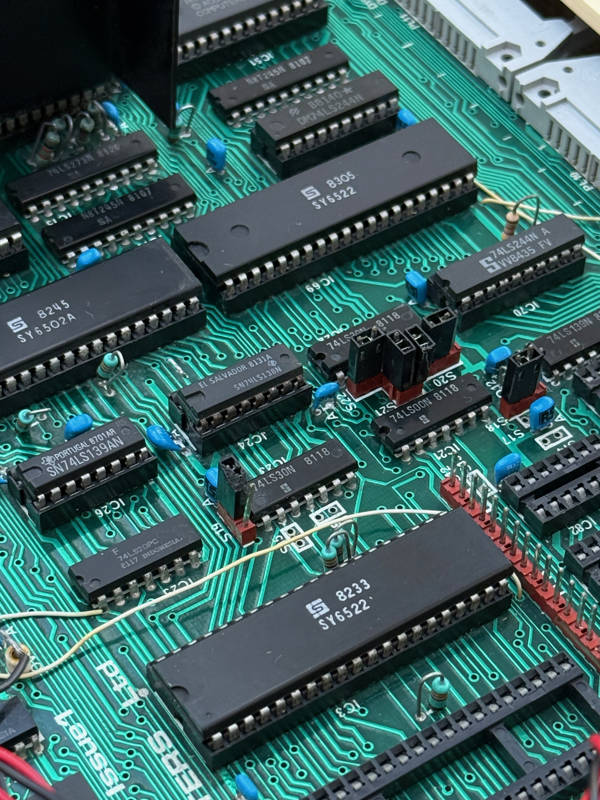
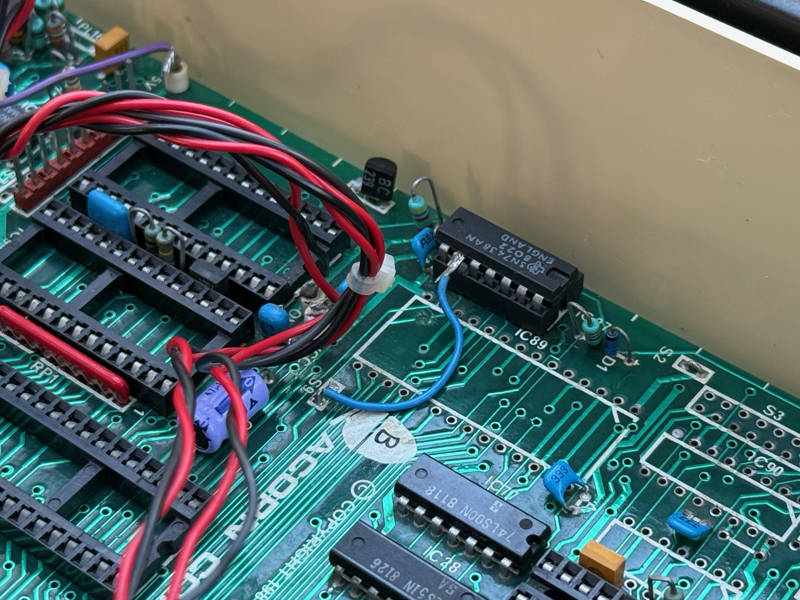
Pin 9 of IC27 has been lifted and connected to the East pad of S9 — a modification showing a disc interface was installed at some point, though it’s long since gone.
The date codes on the 6502 CPU and both 6522 VIAs are later than the soldered chips on the PCB: 8254 for the CPU; 8233 and 8305 for the two VIAs. These must all have been replaced due to failures but this indicates an owner who was keen to keep their computer working.
A headphone socket has been fitted in parallel with the speaker but I will reverse the wiring modifications associated with this.
Power Supply
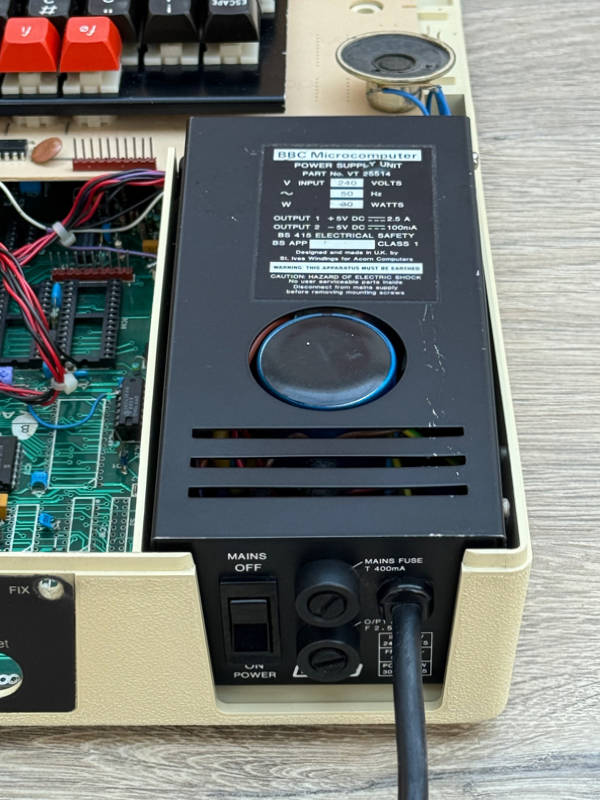
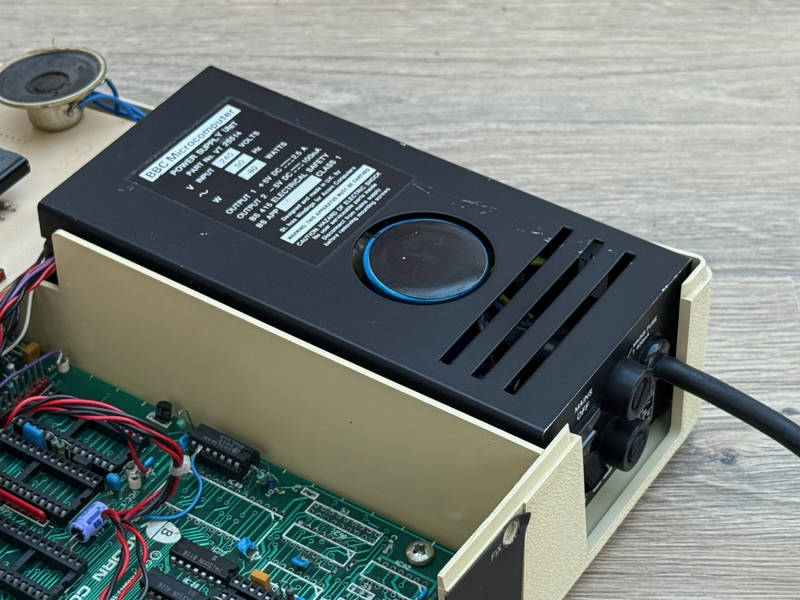
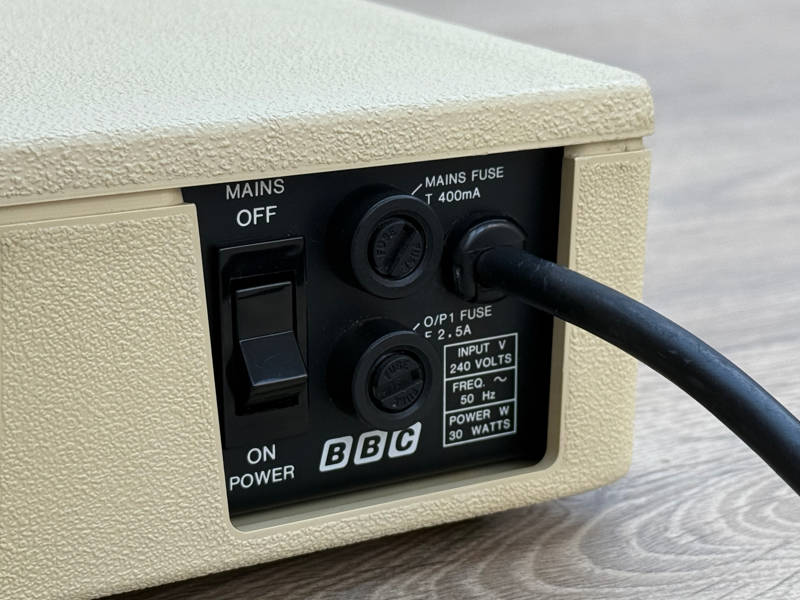
The power supply is fairly unremarkable — for an early BBC Micro. It’s a VT 25514 which was the only linear PSU used by ICL (excluding the tiny number of M5093s).
The component count in these power supplies is very low and there are no exploding Rifa capacitors to worry about. However there was a persistent buzz from the loudspeaker which was cured by replacing one of the PSU’s capacitors.
Case and Keyboard
The case shows signs of an owner who liked to upgrade and modify their computer. Holes have been drilled in various places and there are some light scrapes on the top surface. A headphone socket was fitted on the lower left side, next to a push button which may have been used as a reset switch. The wiring for the switch was disconnected long ago by cutting the wires so we can only guess where they went. I’ve removed the socket and switch and left the holes open for now.
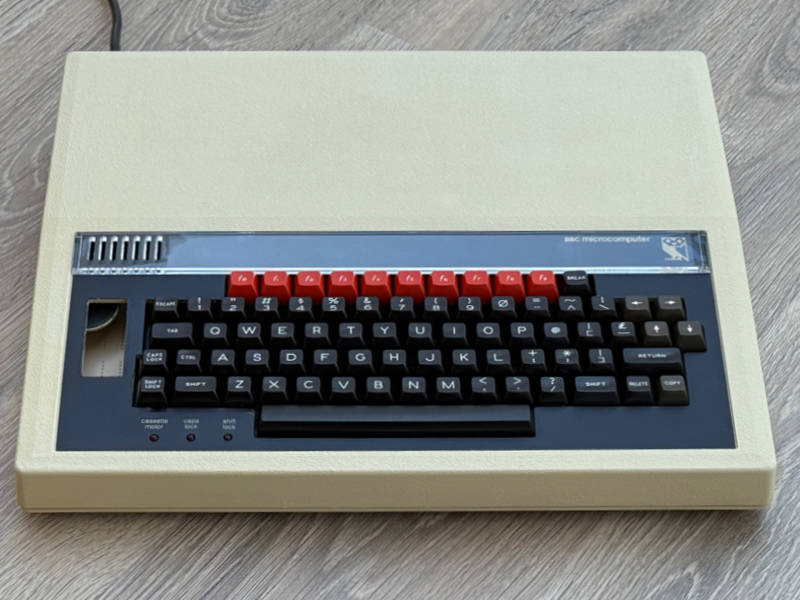
The only alteration visible from the front is that the ashtray opening has been enlarged. Although this is unfortunate it doesn’t greatly alter the appearance from other early machines, which also have open ashtrays — just with neater edges.
I replaced the later function key strip with an early “BBC microcomputer” strip to restore the original look.
The loudspeaker is missing. It should be housed in a small enclosure made of thin white plastic, very similar in appearance and thickness to a yoghurt pot. Perhaps it was discarded after being crushed or split during an upgrade.
Four keys on the keyboard didn’t work. I replaced three of them and repaired the fourth.
The texture on the most used keys is worn down to a shine. It’s not often I see a BBC Micro that’s had this much use. During the 1980s I used our household Model B enough to wear some of the texture off the ‘E’, ‘S’, ‘*’ and “.” keys but I don’t remember achieving the smoothness of the Return key on this Issue 1!
Even heavily-used school computers don’t have such worn keyboards. Although they’re used for many hours by lots of children, they weren’t fast typists — and the software they used generally didn’t demand much typing.
This is the kind of wear that’s only found on keyboards which have been in frequent use for many years. So we can tell that was a useful and much-used computer — and that this Issue 1 with its linear power supply and patched PCB was able to work as capably and reliably as later iterations.
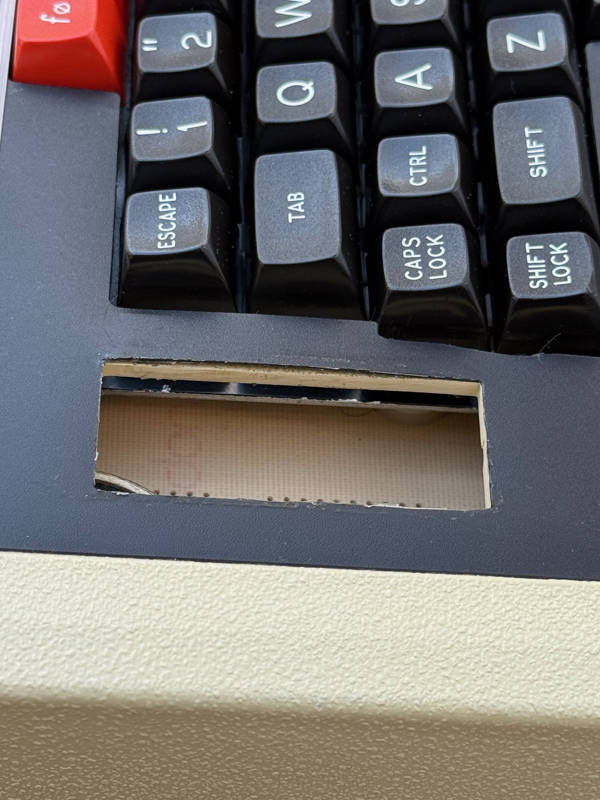
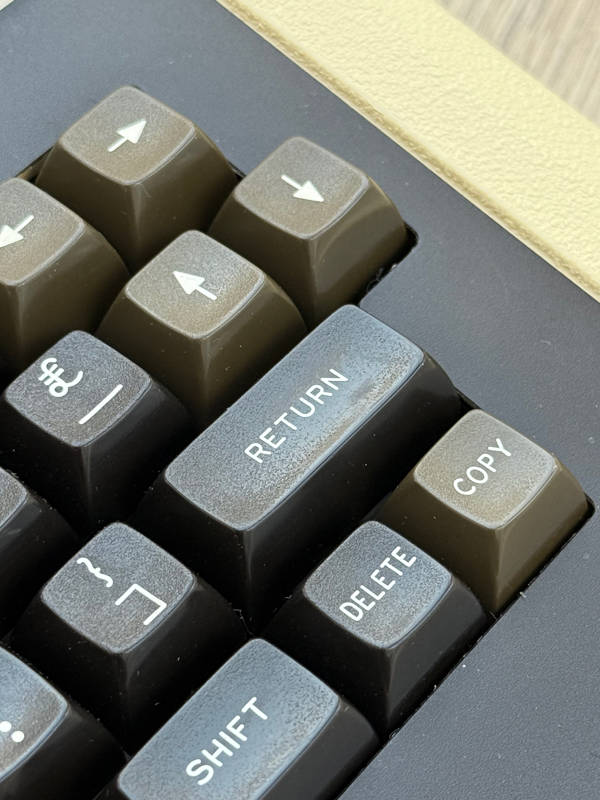
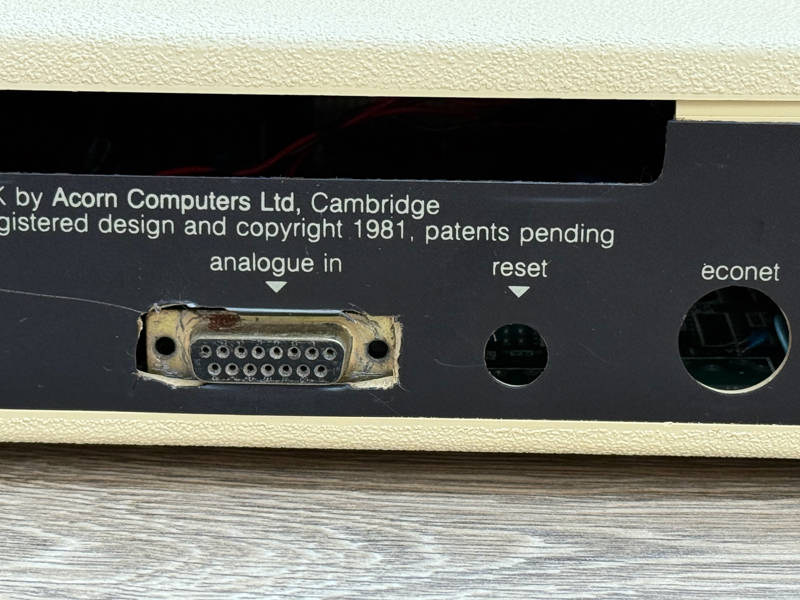
From the outside this looks like any other early BBC Micro.
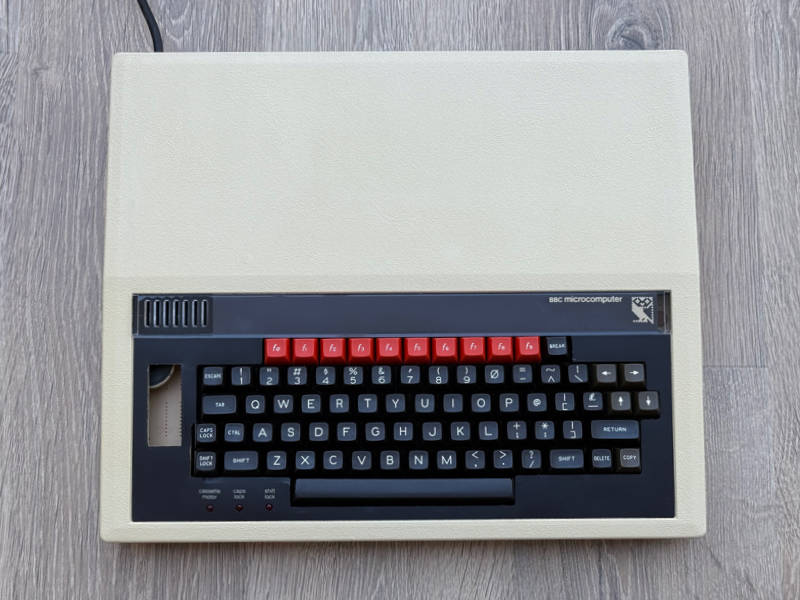
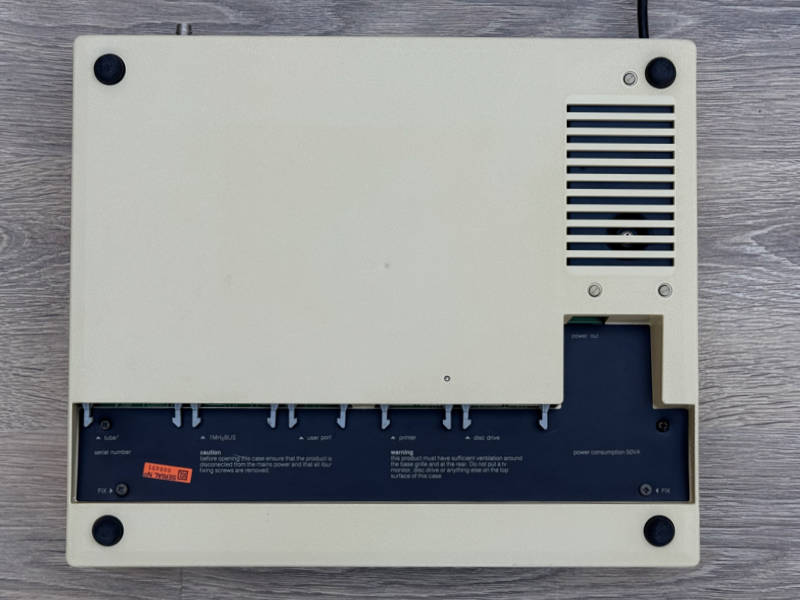
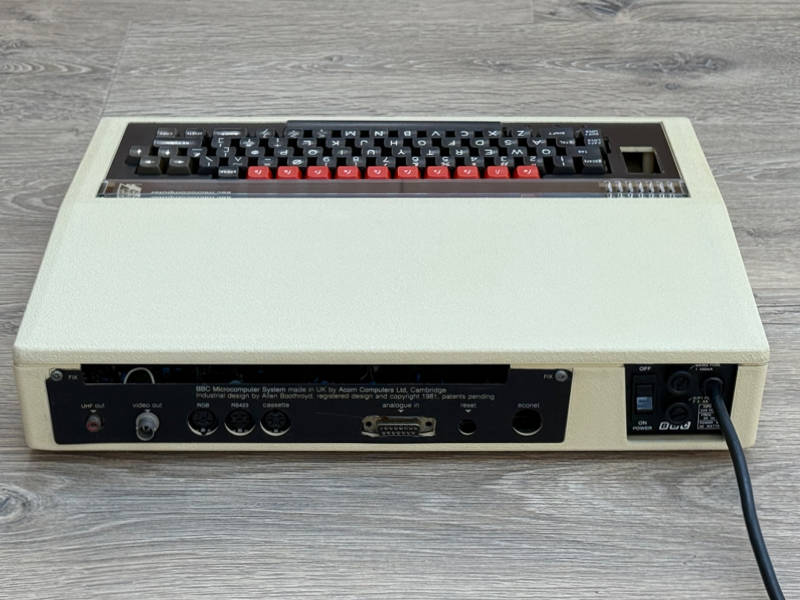
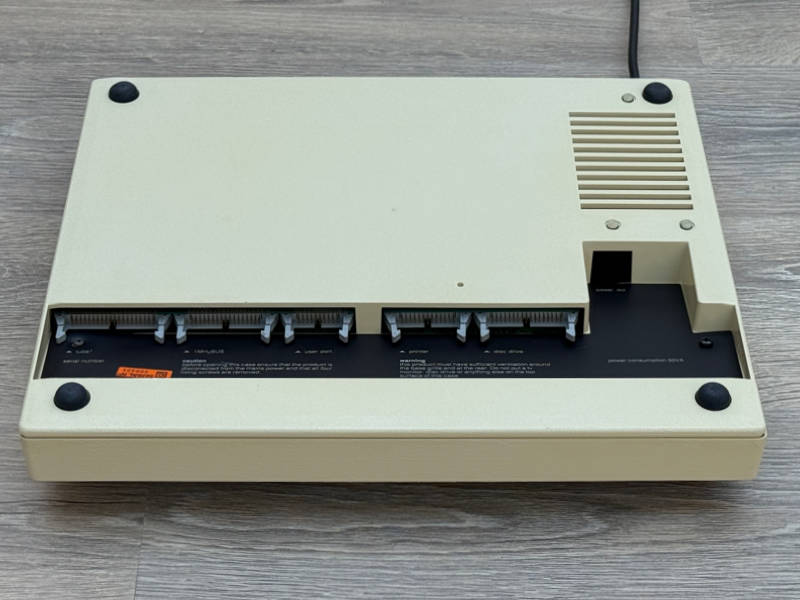
The keyboard with Futaba keyswitches was built by Wong’s Electronics in Hong Kong. This variation is found in all ages of BBC Micro, from the earliest examples through to the B+ and B+ 128K. The main detail change is that the top left section of the metal backplate was cut out behind the “Escape” and “1” keys to accommodate a plastic grille which retains the speaker. On these early versions the speaker was just taped to the keyboard PCB.
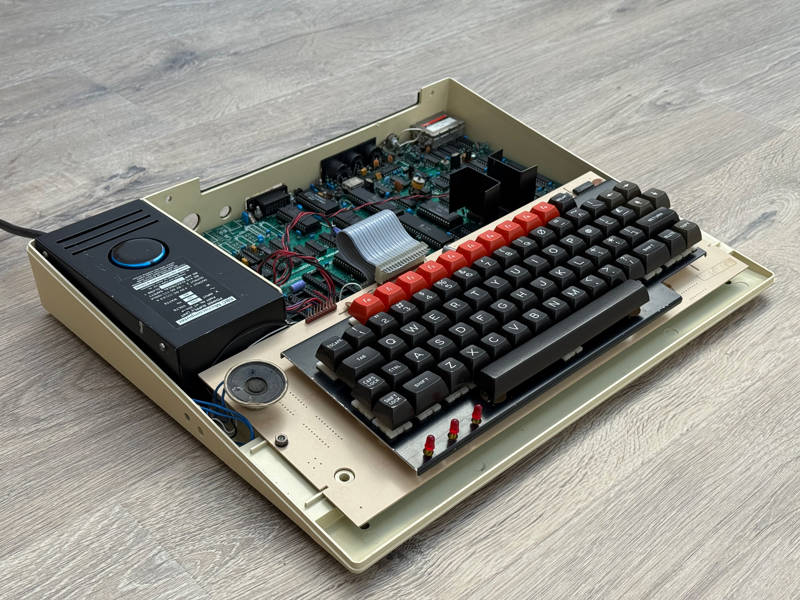
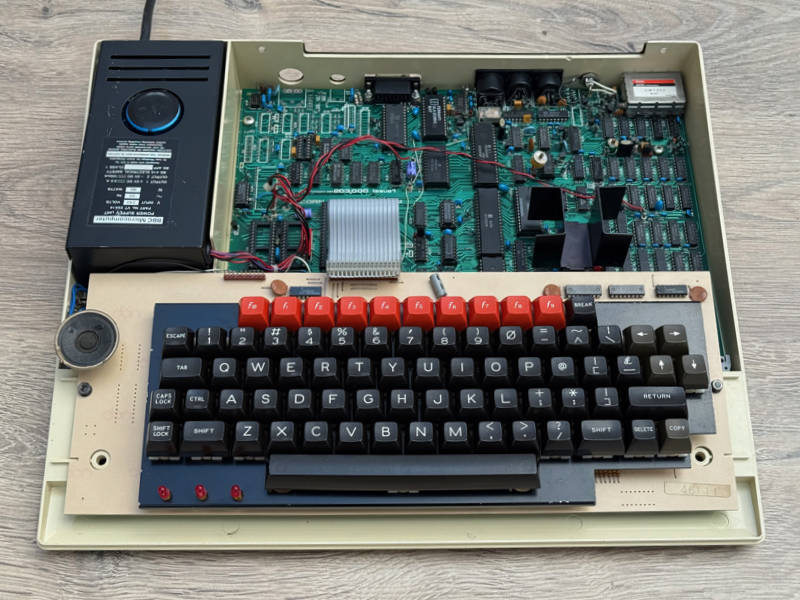
The earliest keyboards, like this one, have a connector for the serial ROM socket. This is the set of pins to the left of the main keyboard ribbon cable, visible in the pictures above. This was soon discontinued and the pins were supplied as part of the speech upgrade kit instead.
In Use
The machine powers on with a brief burst of high-pitched noise followed by the customary beep. It’s not the familiar brrr-beep sound but it’s a feature of very early boards, which use an SN76489n sound generator instead of an SN76489An. The sound before the beep is what the chip produces before it’s initialised — and in this case it’s actually a chord from all three of the chip’s tone generators. The ‘An’ variant produces the more pleasing brrr before it’s initialised.
This computer is a Model B so it has an RGB output. I chose a Microvitec Cub 653 to make best use of this and it produced stable display in Teletext and 6845 generated modes.
There’s no disc interface but it’s easy to plug a Micro SD card reader into the User Port and insert the supporting ROM in a spare socket — allowing almost any BBC Micro game to run.
I started with Firetrack to expose any instability in the various timers and the CRT controller, which work together to produce the smoothest vertical scrolling game ever seen on a BBC Micro. Scrolling was completely smooth with no odd artifacts. Music and sounds worked as expected too.
I also tried Revs, which is famous for using almost every byte of the computer’s 32K memory. Like FireTrack, it depends on accurate timers for precise CRT controller manipulation, but this time it’s for the purposes of hiding code and producing a wider colour palette. With solid graphics (no wireframes!), a realistic physical simulation of a Formula 3 racing car and 19 competitors on the track this keeps the machine fully occupied. I played a qualifying session and a race with no issues.
Staying with games written by Geoff Crammond, I moved on to The Sentinel. There are no obviously fancy CRT tricks in this game, other than to make the screen area smaller, but it draws a solid, non-wireframe landscape which is panned in steps with smooth transitions. Landscape generation at the beginning of each level takes a while and complex scenes take longer to pan, showing that the machine is being stretched by volume of calculations required to render the view. Level 0000 played smoothly but the game quickly escalates in difficulty so I stopped my testing after completing it.
For some simple fun to conclude my testing I chose Chuckie Egg. It’s not in the same league of technical accomplishment as the other three games but it’s fast-moving, extremely responsive and always enjoyable to play. I progressed to level 20-something (in the hens and duck zone) before being outmanoeuvred and losing my final life.
This kept me occupied for around 2 hours. During this time the computer was completely reliable and indistinguishable from any other BBC Micro — exactly how it must been for its original owner.
I plan to use it regularly and keep it in its current configuration.